 Daylight
Your day, in the right light.
A calm, clear view of today: the light you have, what's planned, and a quiet page to make sense of it.
Free to start. Pro is one purchase, no subscription required. Nothing leaves your device. For iPhone, iOS 26 or later.
One calm page, instead of five busy ones.
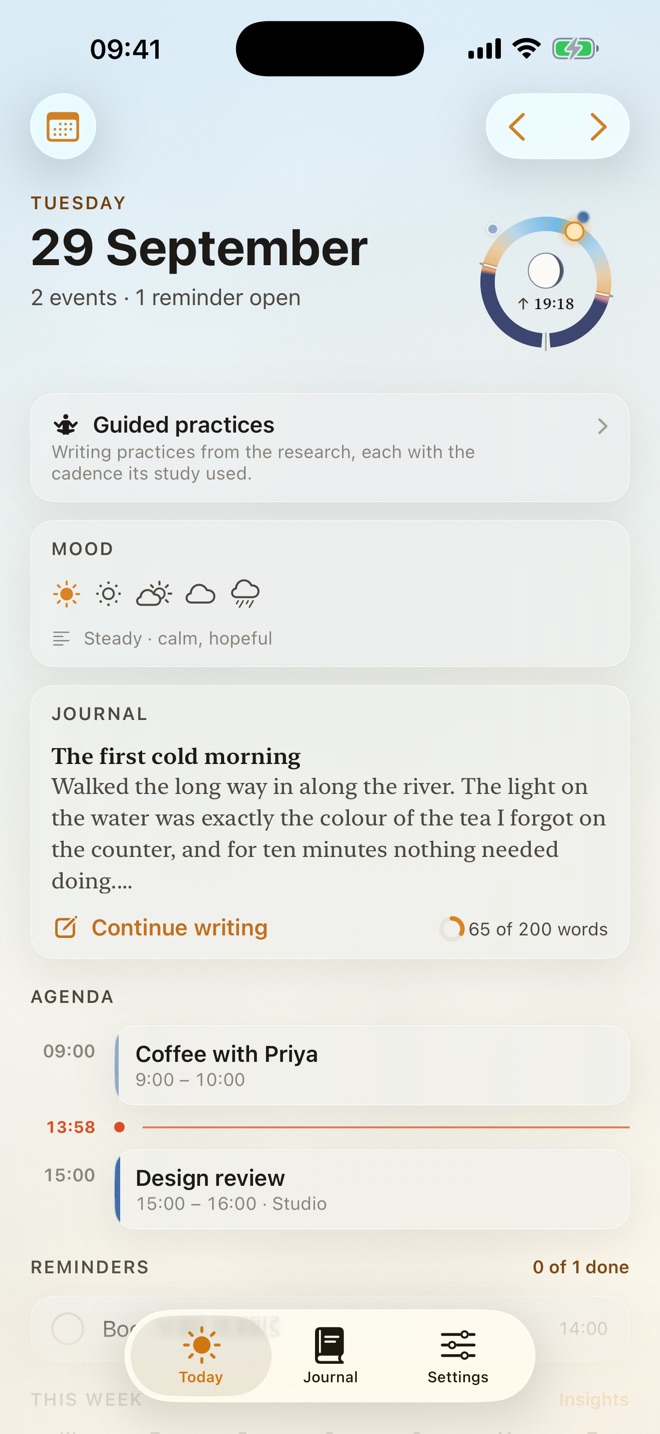
Calendars, to-do apps and journals each hold a piece of your day, and each wants your attention. Daylight puts the pieces on one quiet page: what's planned, what's due, how the day is going, and somewhere to write it down. You can see the whole day at a glance, without switching between apps to piece it together.
- Morning
See what's ahead
Today's events on a timeline and the reminders that are due. Anything overdue is carried forward, so nothing slips out of view.
- Midday
Know where you are
A live now-line crosses the timeline, and the sky behind the page moves with the hour, so you can tell the time without looking for a clock.
- Evening
Make sense of it
A mood in one tap, and a guided practice when you want a starting point for your writing.
- Night
Put it down
Focus mode fades everything but the words. Tomorrow's list clears your head for the night.
Know how much light the day holds.
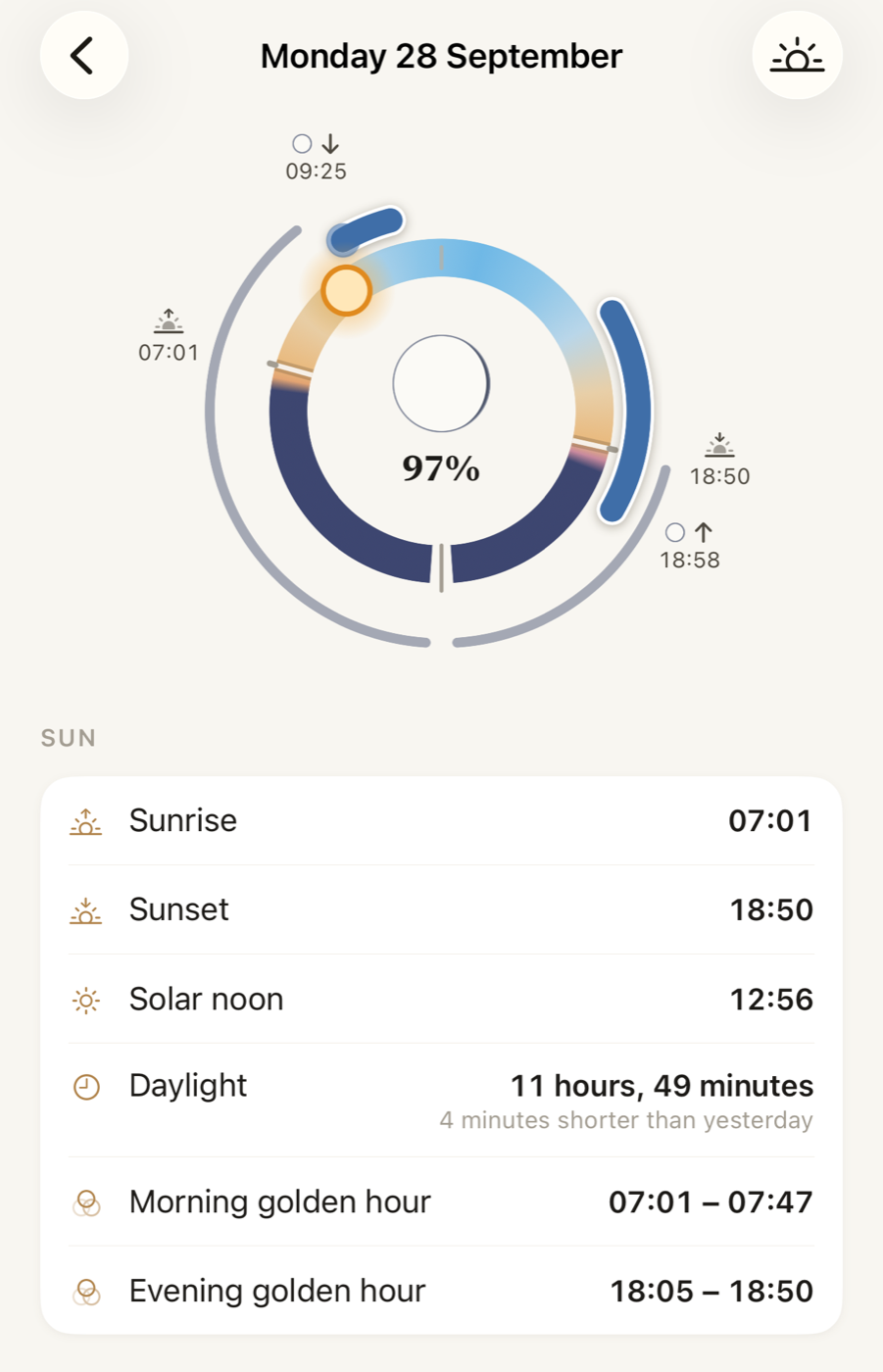
The Day Circle is a 24-hour dial, with noon at the top and midnight at the bottom. The bright arc is daylight, so you can see at a glance how much of the day is left and where your plans fall within it.
Sunrise and sunset
Worked out on your iPhone for where you are. The ticks drift with the seasons, and you can wind the dial to any day of the year to see the days drawing in or out.
The moon, correctly phased
By night, the sun gives way to the moon in its real phase, with moonrise and moonset in the Day Detail.
Your plans in the light
Each event sits on the dial as a bead at its hour, so a morning meeting and an evening walk show where they fall in the day's light. Tides come with Pro
Why show daylight at all? Large population studies link time spent in daylight with how people feel. In the UK Biobank, among around 400,000 adults, people who spent more time outdoors in daylight tended to report better mood and sleep (Burns and colleagues, 2021). In a study of nearly 20,000 people in England, spending about two hours a week in nature was associated with better reported health and wellbeing (White and colleagues, 2019). These are associations, not proof of cause, and Daylight doesn't track any of it. It shows you the light, so you can plan with it in mind.
Journaling with a method behind it.
A blank page is where most journals stall. Daylight's guided practices are writing exercises that psychologists have tested, each run with the schedule its study used, and each shows where it came from. Pro
- 7 nights
Three Good Things
Three good things from the day, and why each one happened.
Seligman et al. (2005) - 4 consecutive days · 15–20 min
Writing It Out
One hard experience, from what happened to what you understand now. It comes with a warning and a stop rule.
Pennebaker & Beall (1986) - 14 days · 5 min
Best Possible Self
A future that went well, one part of it at a time.
King (2001); Meevissen et al. (2011) - 7 days
A Kind Word
The day's setback, in the words a good friend would use.
Leary et al. (2007); Shapira & Mongrain (2010) - Monthly · 10 min
What Matters
One value you care about, why it matters, and a time it showed.
Creswell et al. (2005) - Nightly · 5 min
Tomorrow's List
Tomorrow's tasks, specific and in order, starting from your reminders.
Scullin et al. (2018)
We're careful about what we claim. Across the research, the effects of journaling are real but modest, and they differ from person to person. Daylight gives you the methods as they were tested and tells you where each one came from. It can't promise what they'll do for you. Read the research behind each practice.
Clear enough to read at a glance.
-
Your calendar and reminders, already there
Daylight reads Apple Calendar and Reminders on your iPhone, so there's nothing to re-enter. Swipe to turn the page to another day.
-
A mood, and the reason for it
Record how the day felt in one tap. With Pro, you can add your energy level, the feeling in a word, and a line about why. Over the weeks, patterns become visible, worked out on your iPhone. Pro
-
Writing that stays out of the way
Rich text styled as you type, and a Focus mode that fades everything but the words.
The first cold morning
Walked the long way in. The light on the river was exactly the colour of the tea I forgot on the counter.
A closer look.
Screens marked with the sun are part of Daylight Pro.
Your whole day on one pageCalendar, reminders and journal, together 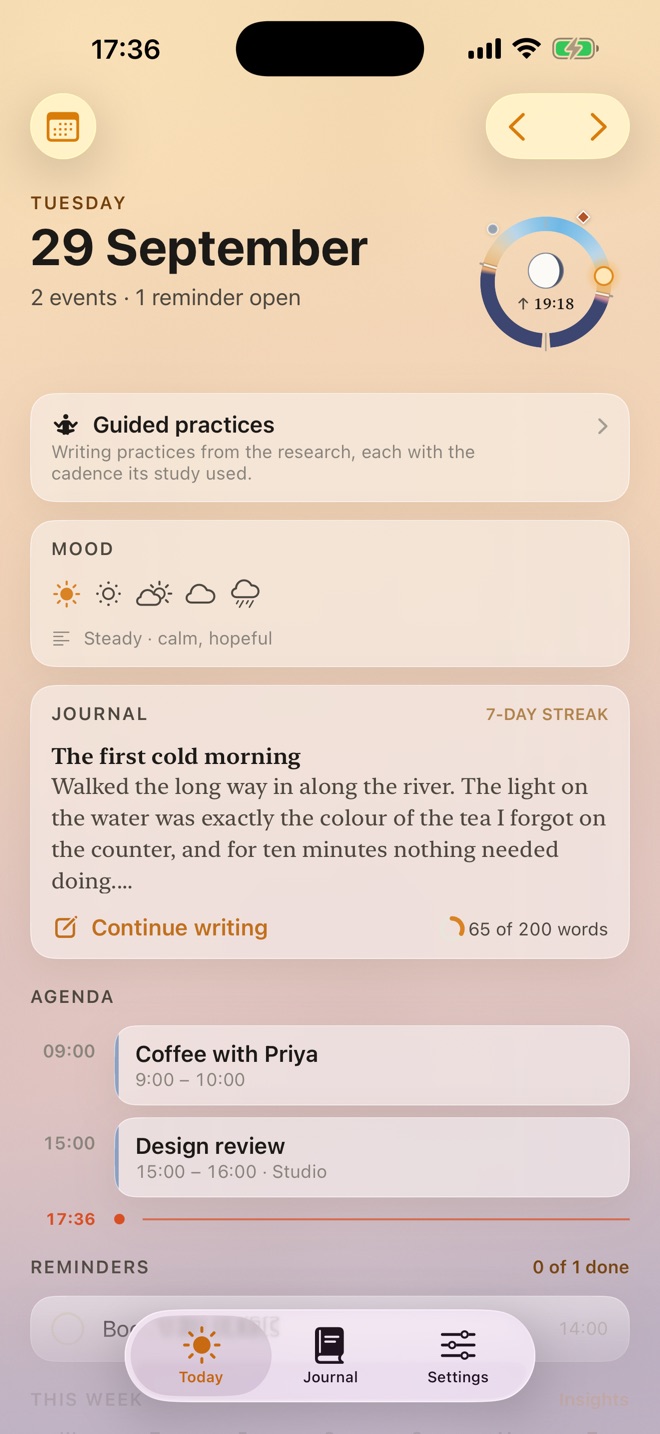
A background that follows the skyMorning, midday, evening and night 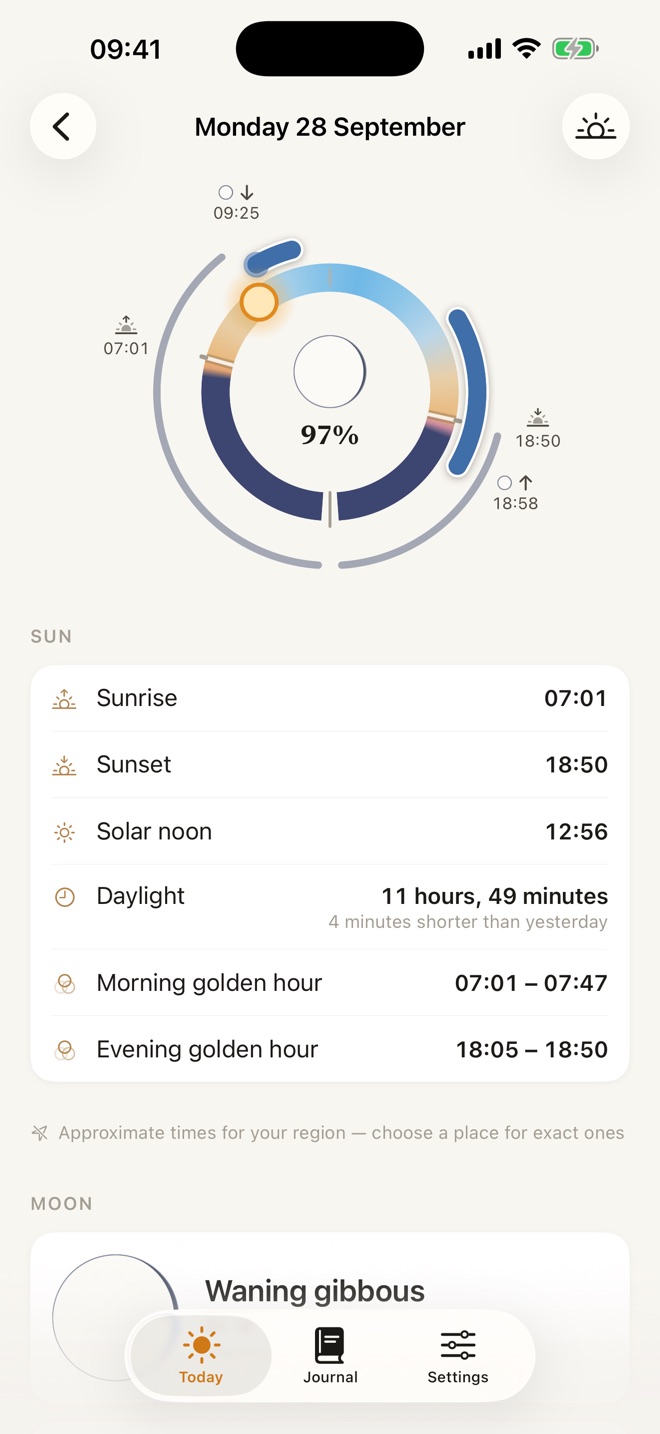
The Day CircleSun, moon and your events on one dial. Tides with Pro 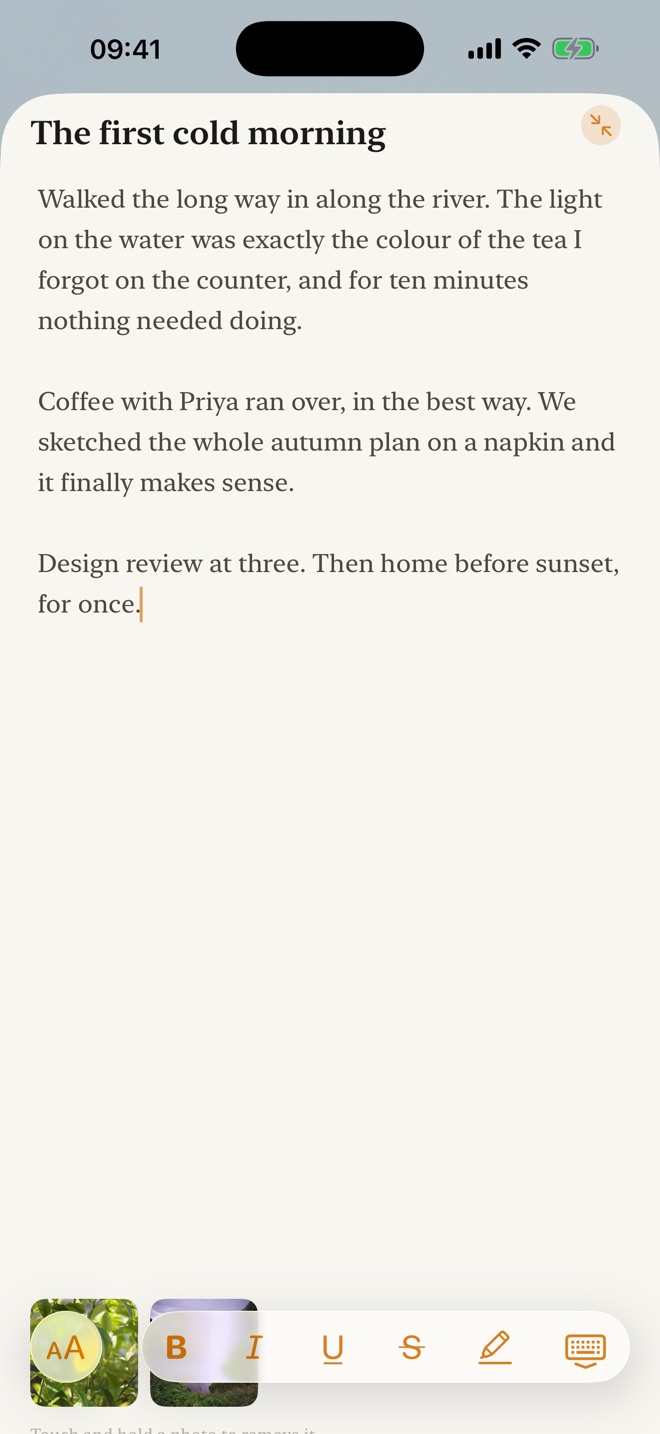
Just paper and inkRich text and Focus mode. More typefaces with Pro 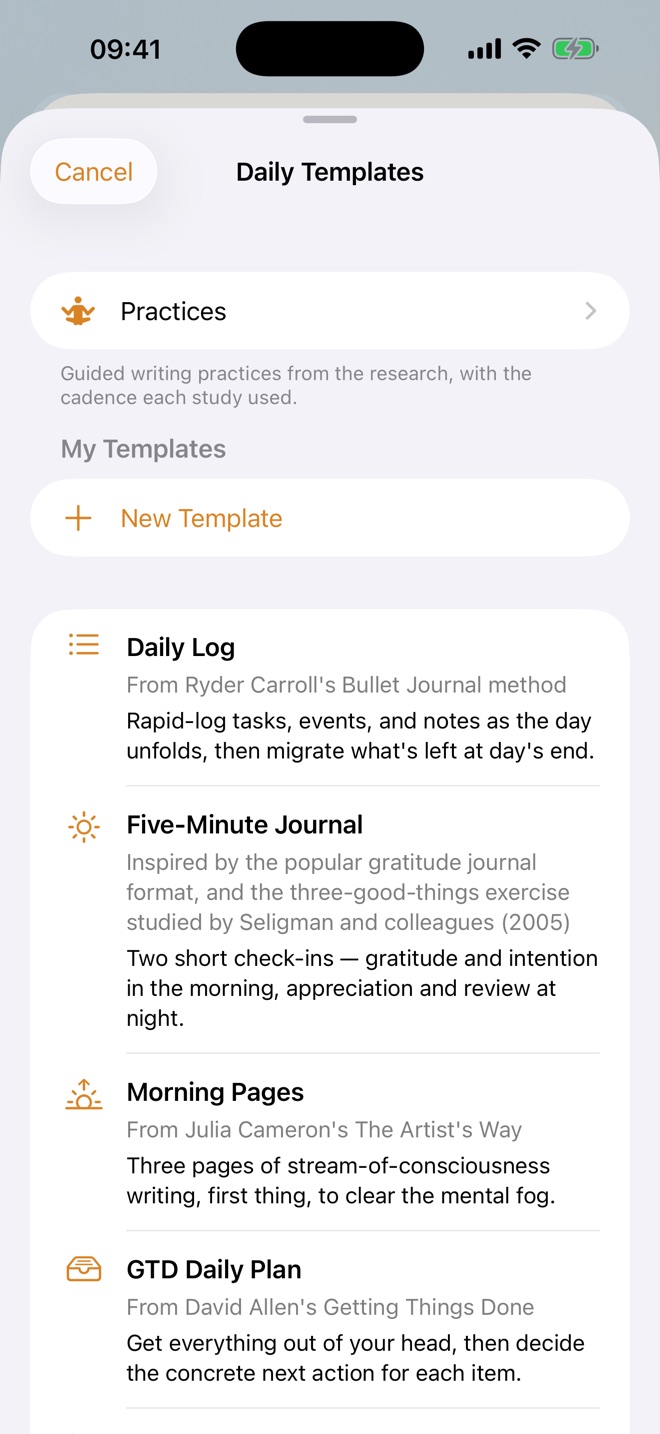
Never face a blank page ProDaily Log and one template free; every template and your own with Pro 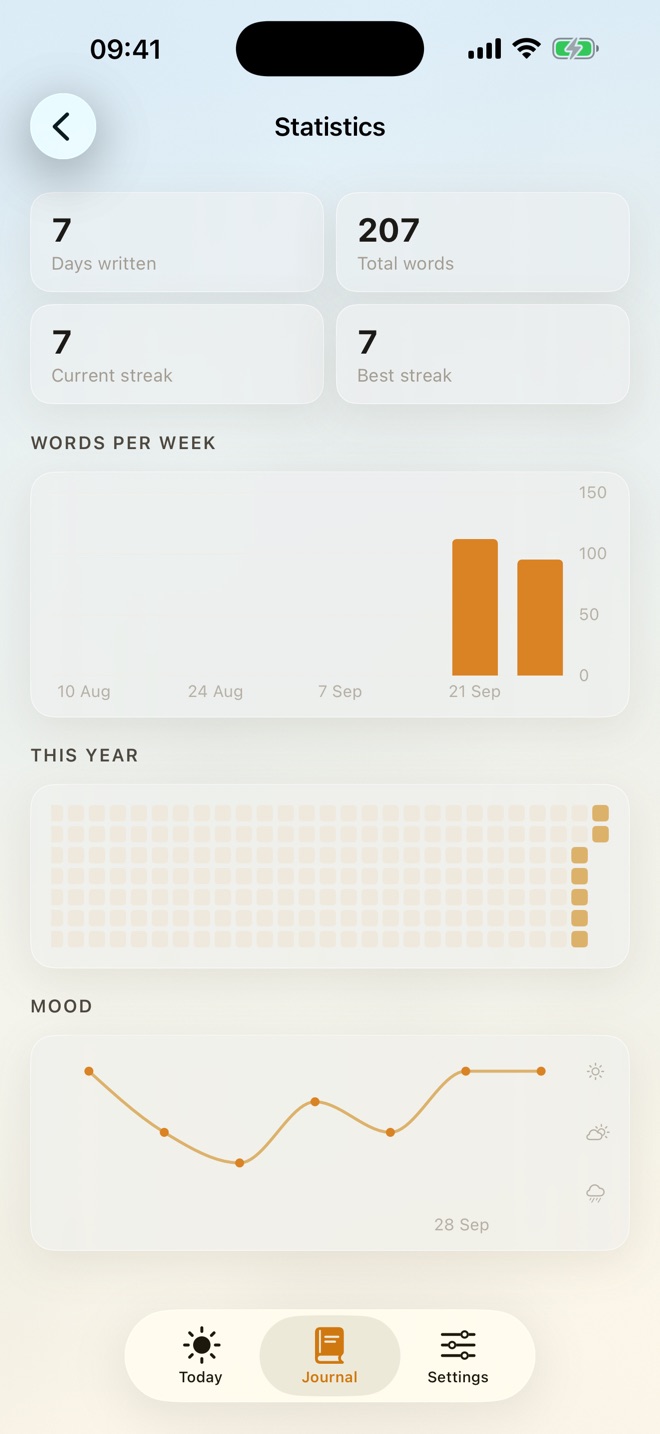
Watch the habit form ProWord goal, streaks, a year at a glance 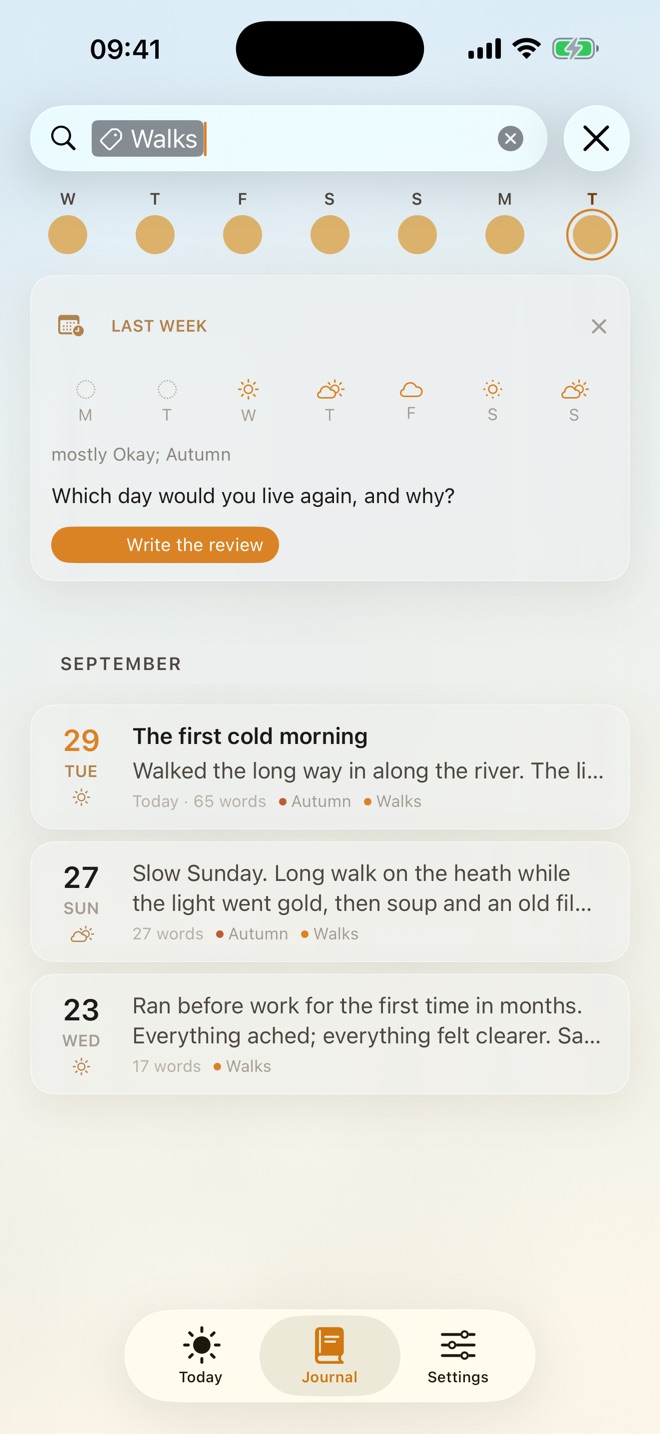
Find anythingWords and mood free; tags and filters with Pro 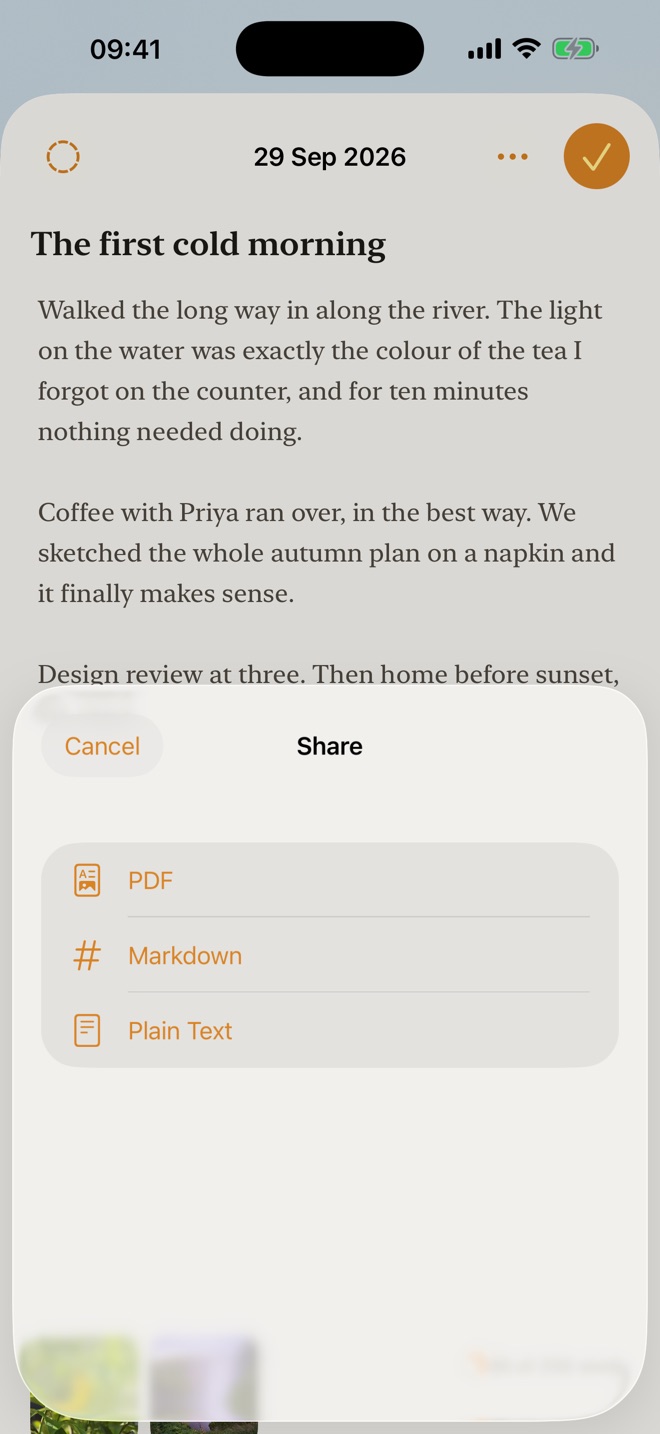
Yours to keep ProPDF and Markdown with Pro; plain text free 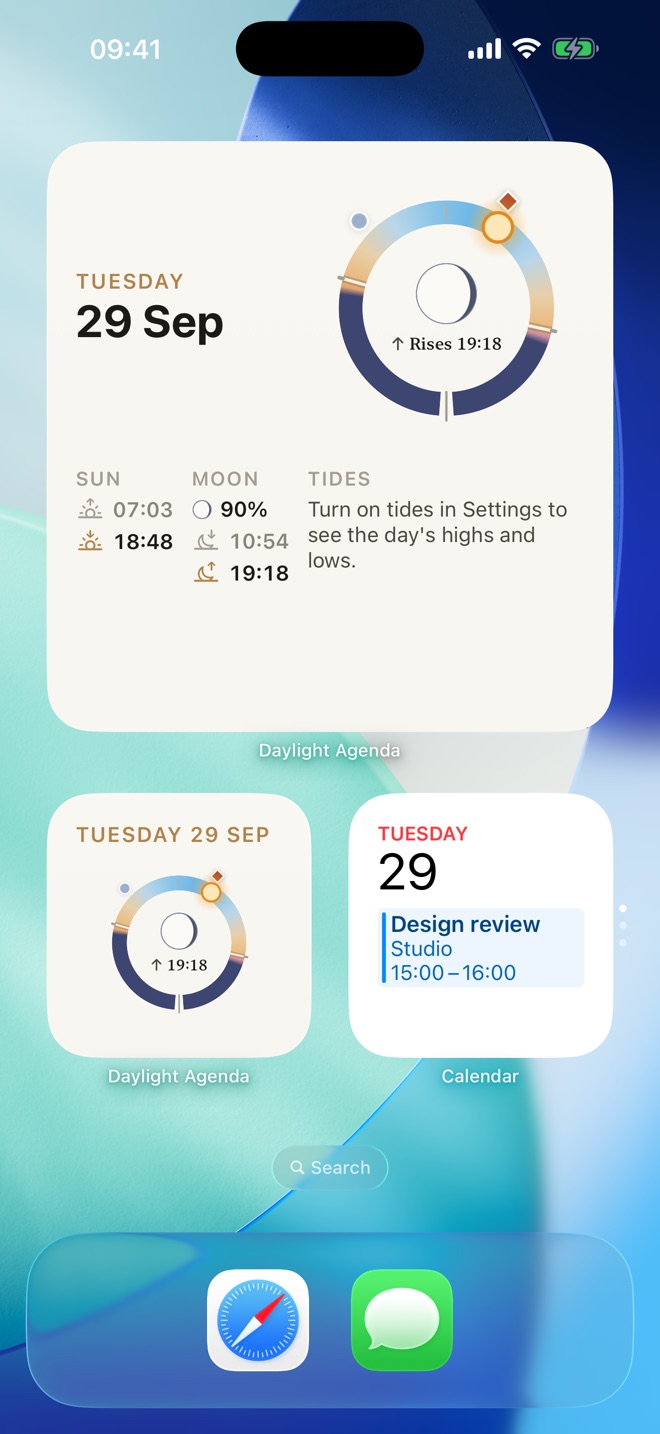
The day, at a glanceSmall and Lock Screen widgets free; medium and large with Pro 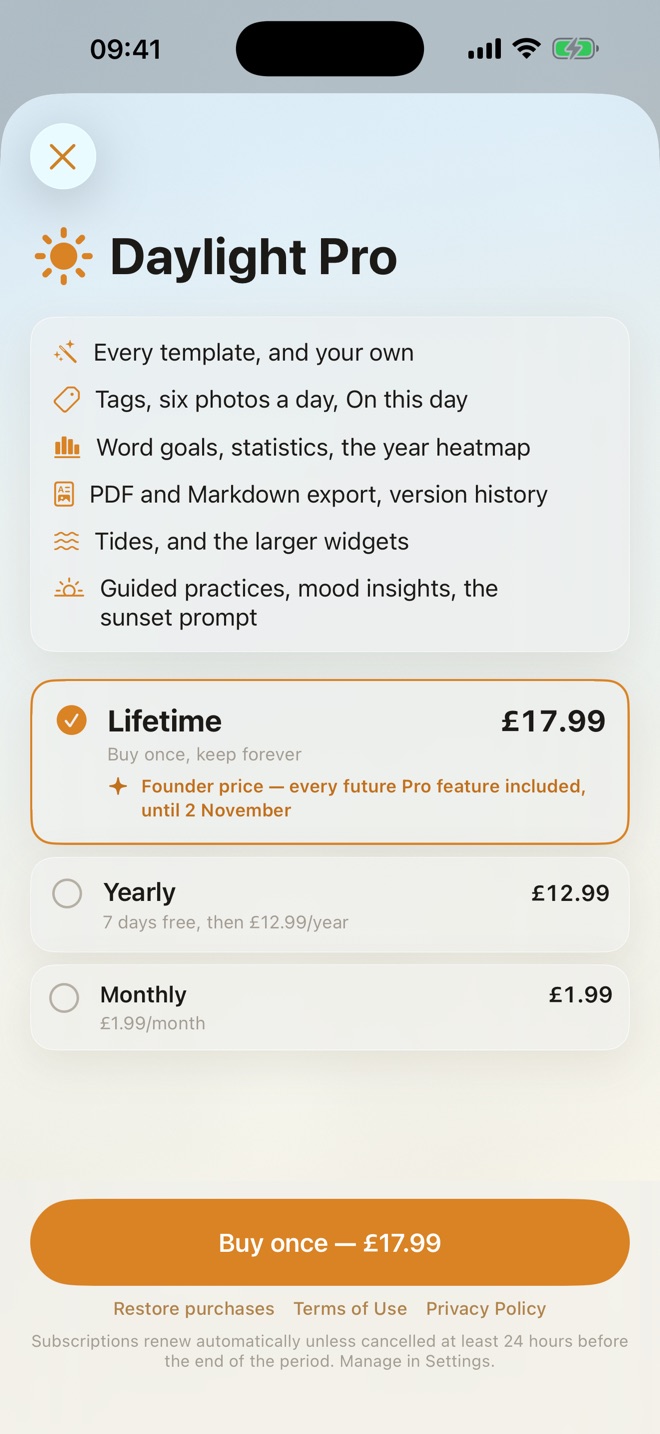
One purchase, or subscribeLifetime, yearly or monthly. No account needed
Free is the page. Pro is the practice.
The daily page is free for good. Daylight Pro adds the tools for keeping a journal over years, in a single tier with nothing to upgrade to beyond it.
Free
Free download
- The day page: calendar timeline, reminders, the sky
- Rich-text editor, titles and Focus mode
- The Day Circle with sun and moon, and Day Detail
- Mood, journal search, one photo per entry
- Daily Log plus one template of your choice
- Small and Lock Screen widgets
- Plain-text export, light and dark
Daylight Pro
One purchase, or a subscription if you prefer
- Every template, your own templates and a default that fills the day
- Tags and filtered search
- Up to six photos per entry
- Word goals, streaks, statistics and the year heatmap
- On this day and version history
- PDF and Markdown export
- Tides on the Day Circle
- Medium and large widgets, and more typefaces
- Guided practices from the research, with their tested schedules
- Energy, feelings and a reason alongside your mood
- Apple's Journaling Suggestions
Daylight Pro is a one-time purchase, or a yearly or monthly subscription with a 7-day free trial on yearly. Prices are shown in the app, in your currency, before you buy. Lifetime purchases made during the launch window include all future Daylight Pro features. Subscriptions renew automatically unless cancelled at least 24 hours before the end of the current period, and you can manage them in your Apple Account settings. If a subscription ends, everything you wrote, including tags, photos and templates, stays yours and stays readable. See the Terms of Use.
What leaves your device.
Daylight has no account, no analytics and no tracking, and your journal never leaves your iPhone. The App Store label reads “Data Not Collected”. The list below covers everything else, and it's short.
- Your journal, photos and mood
Nothing. They are stored on your iPhone. We have no copy and can't read them.
- Calendar and Reminders
Nothing. Daylight reads them on the device to draw your day and never copies them anywhere.
- Tides, if you turn them on
Your location, rounded to about 1 km, goes to Daylight's own tide server so it can find the nearest tide station. The server keeps no record of who asked.
- Place search
If you search for a place for the Day Circle, the text you type goes to Apple Maps.
- Purchases
Handled entirely by Apple. We never see your name or your payment details.
The full details are in the Privacy Policy.
Built to be read by everyone.
Every row, ring, timeline and control is labelled for VoiceOver. Text follows Dynamic Type at every size, including the accessibility sizes, and Reduce Motion stills the sky. Because formatting is stored as meaning, making text larger restyles every past entry instead of breaking it.
Here's today. Somewhere quiet to write.
Free on the App Store for iPhone. In English, French, Spanish, German and Dutch.
Download on the App Store